From a cold scan to a signed-off upgrade, in one loop.
Every screen below is the live product running on demo data — no mockups, no redesigns. Read it as a tour; the waitlist gets you the same four moves on your own fleet.
In place, not replaced.
A replacement VM is a new resource: new ID, new tags, new everything, and your backup, update, and replication policies do not follow it. JumpGrade upgrades the operating system underneath the same VM, so the control plane and every policy attached to it survive.


Same VM. Same control plane. New operating system.
Start with a report your change board will accept.
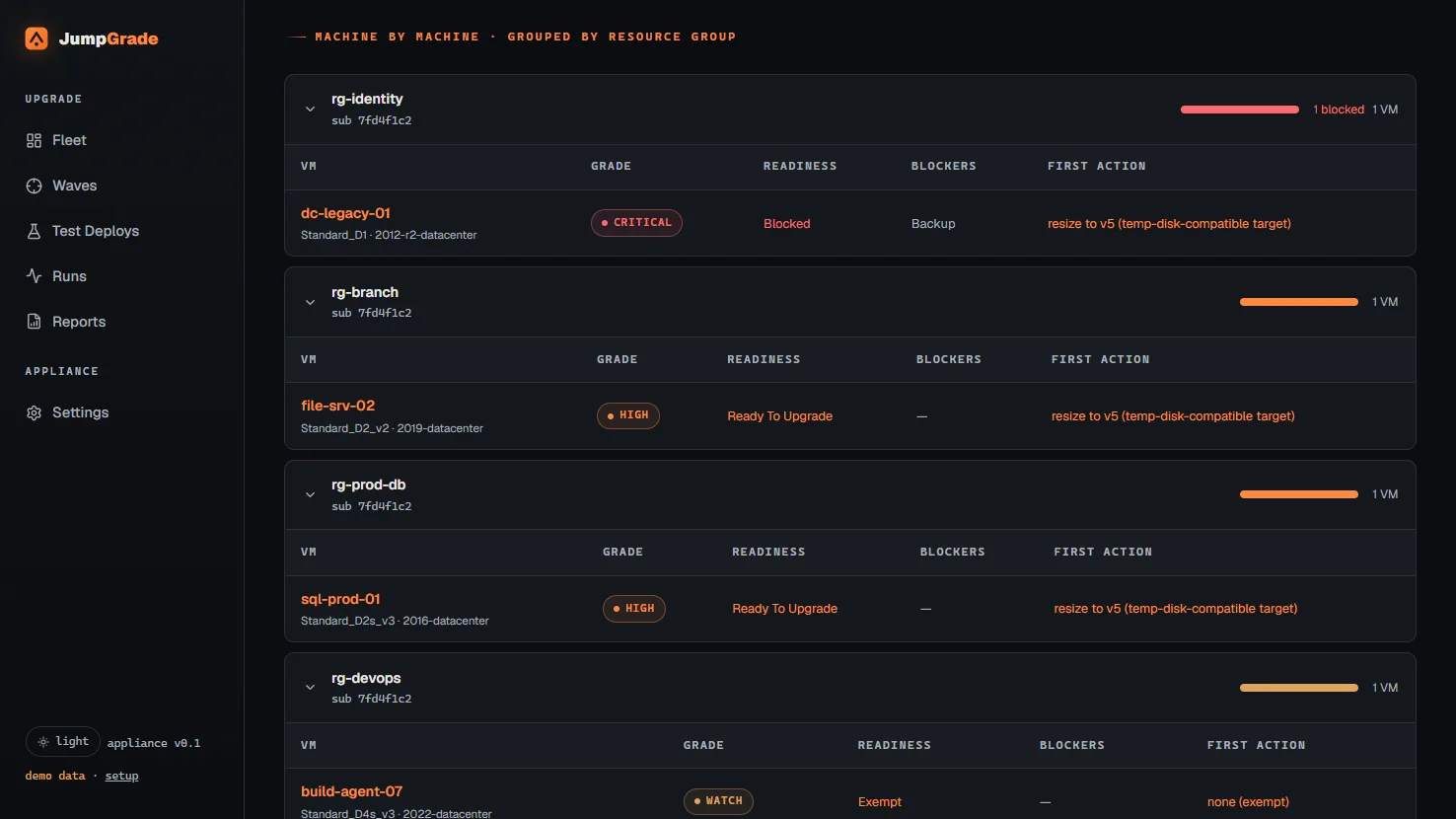
Before anything runs, JumpGrade scans the whole fleet against your target OS and size and writes it up: an executive summary, a grade distribution, and a first action per VM. This is scan-003 on demo data.
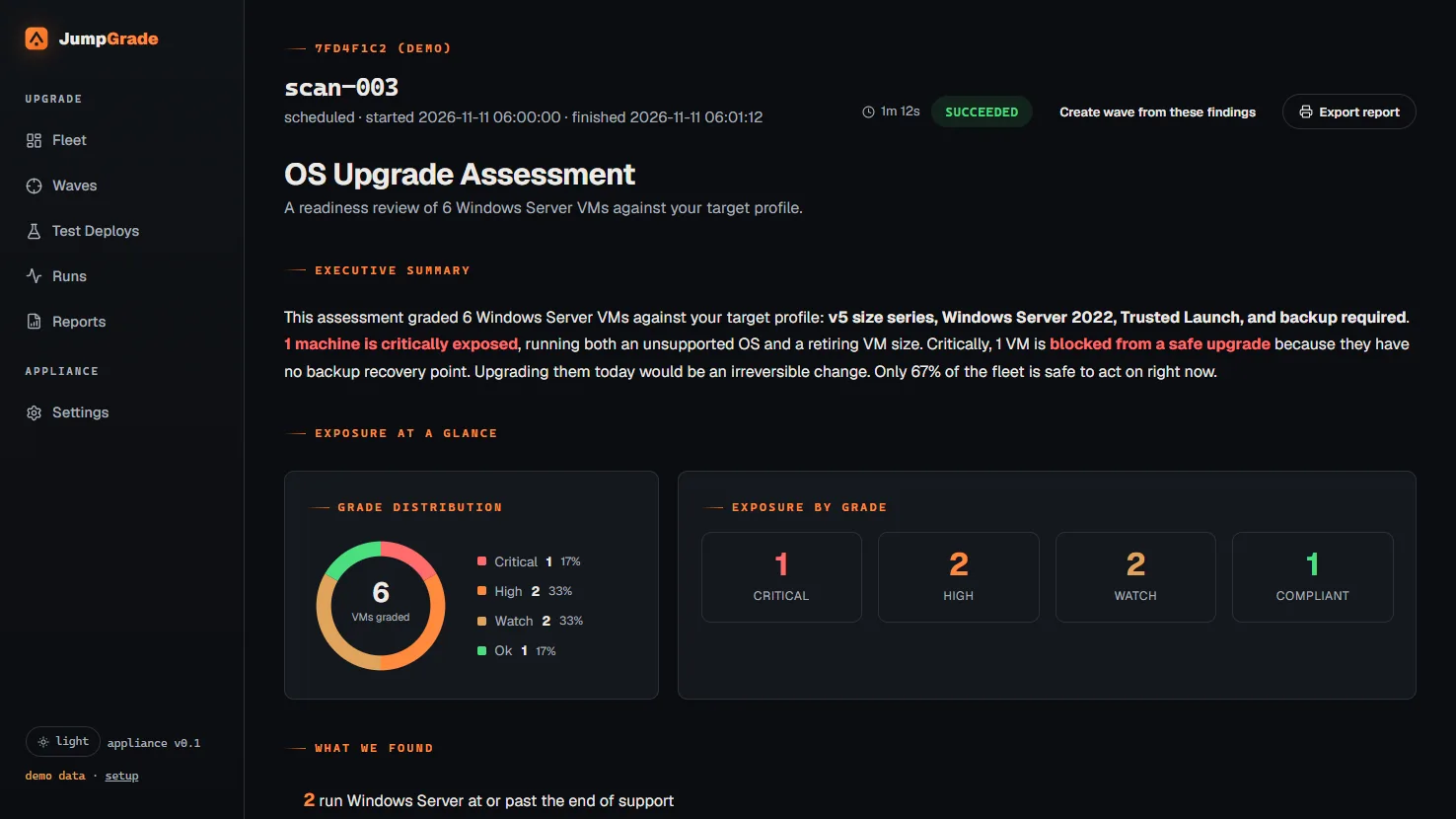
- Every VM graded, worst first: OS end-of-life and size retirement roll up into one grade, so the critical machines surface before the easy ones.
- Grouped by resource group: each VM shows its grade, readiness, blockers, and first action, so the blast radius of any group is visible at a glance.
- Export to PDF: hand the same assessment to the change board, the ticket, or the tool you already use.
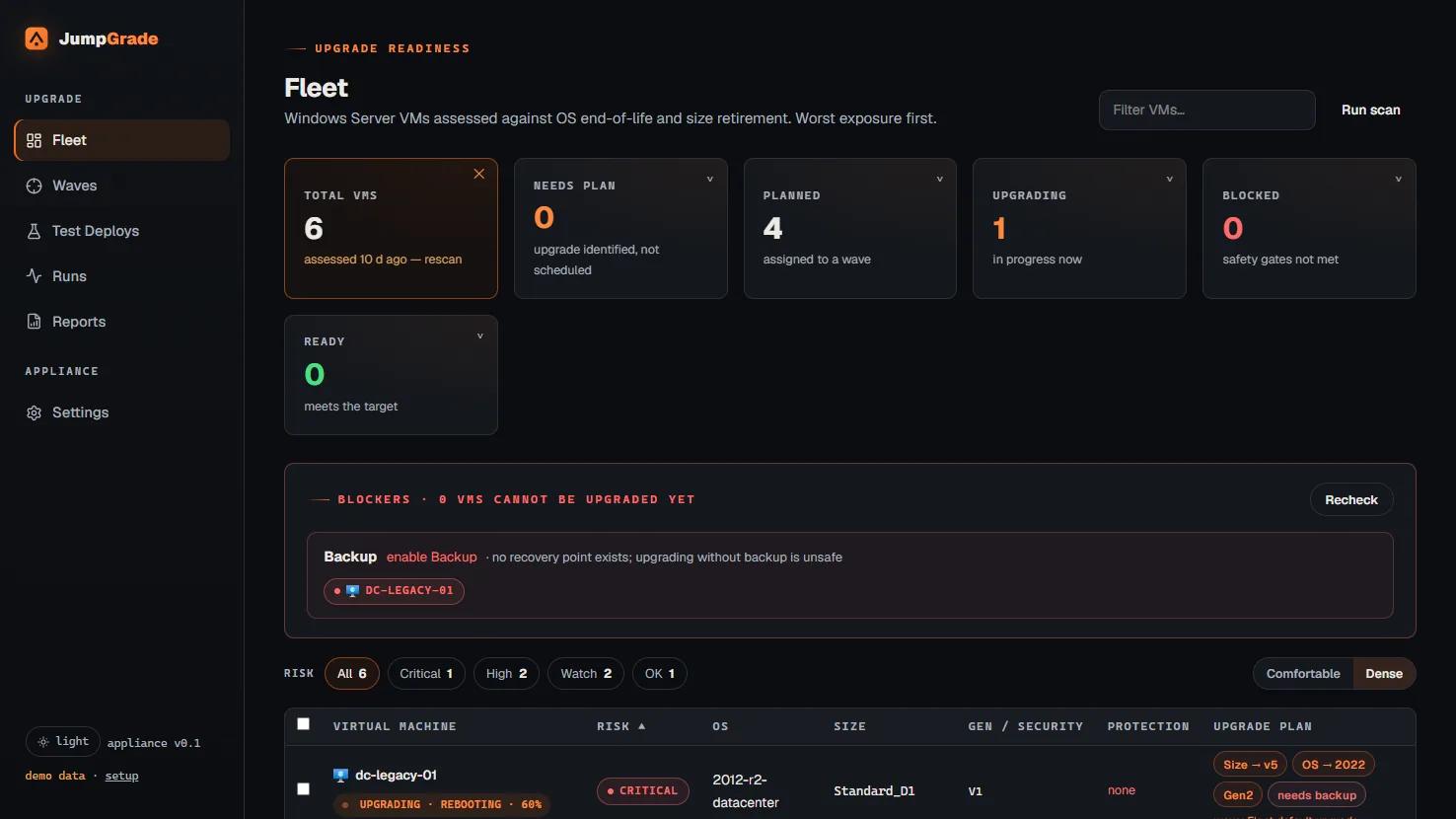
Four screens, the whole job.
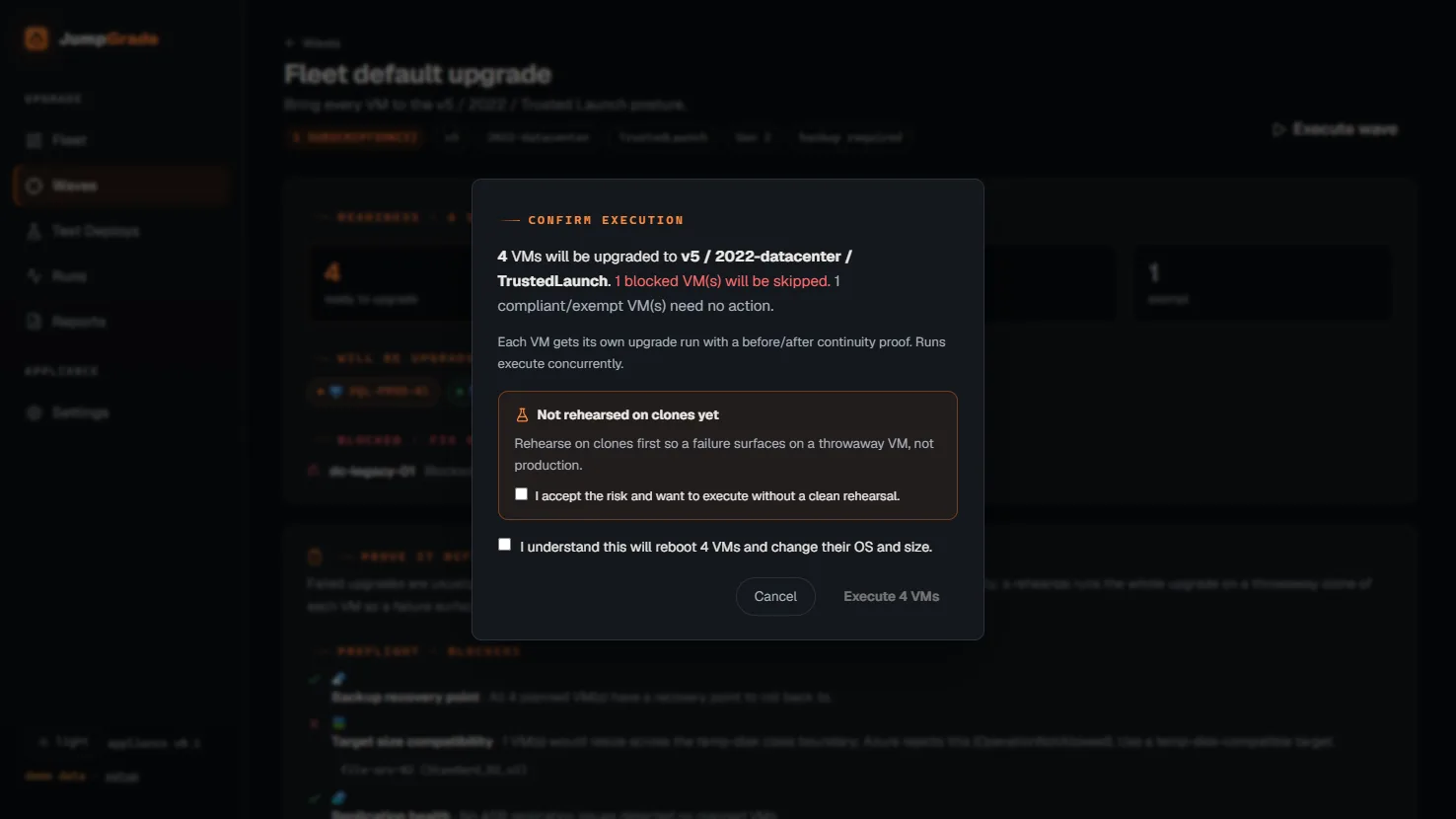
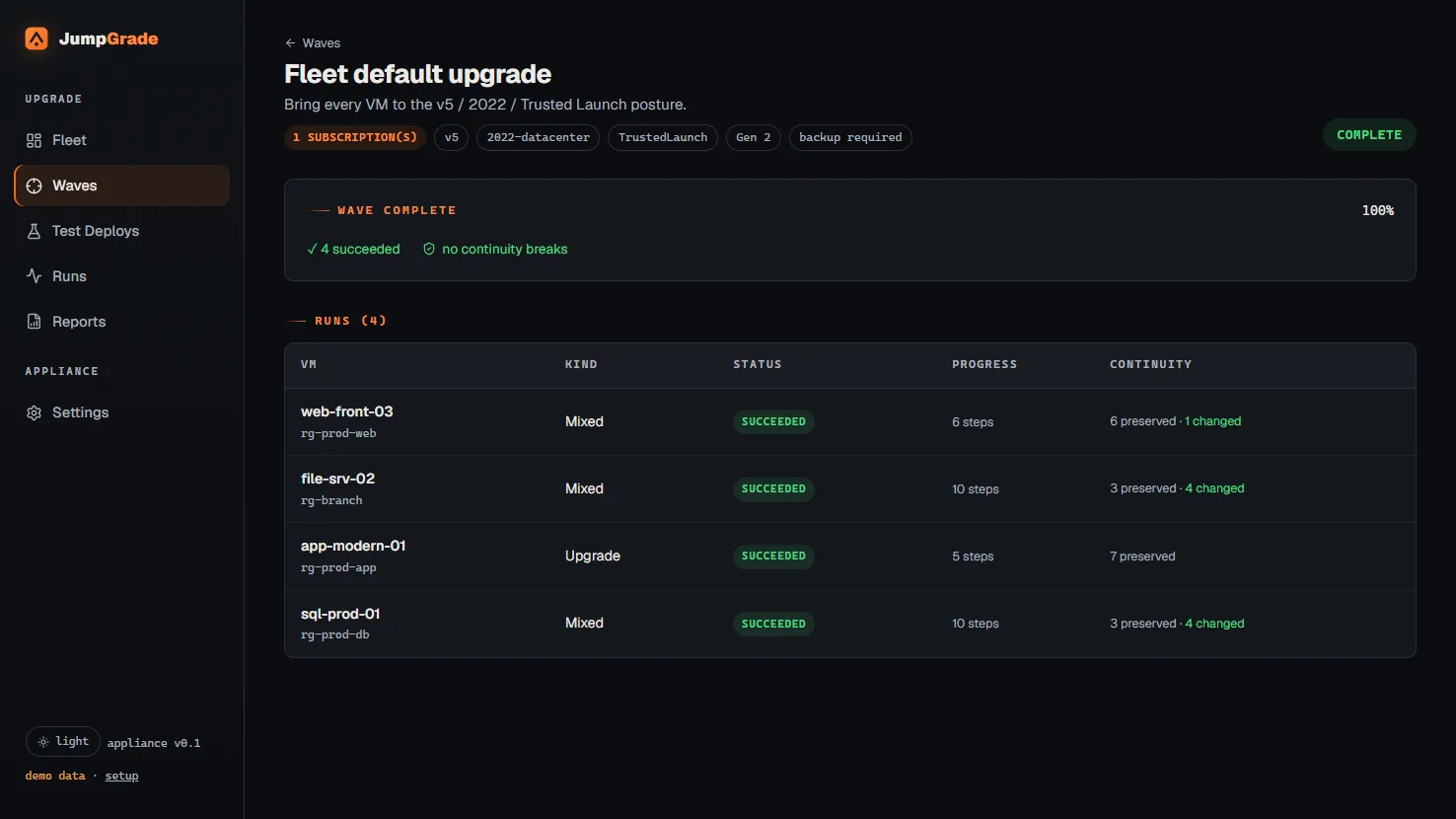
Scan the fleet, plan a wave, confirm exactly what changes, and close with a receipt that proves each VM kept its control plane intact.
Four integrations, still working.
The whole point of keeping the identity is that the control plane never notices the upgrade. Metadata, backup, update management, and Site Recovery all stay attached to the same VM.
 VM (in-place upgrade)
- Azure metadata parity Same resource ID, name, tags, and RBAC.
- Azure Backup keeps protecting Recovery points and vault protection continue.
- Azure Update Manager ready Stays registered and patched after the upgrade.
- Site Recovery survives, re-enabled automatically Protected item and recovery history stay intact; replication continues once re-enabled.
Prove it on a clone first.
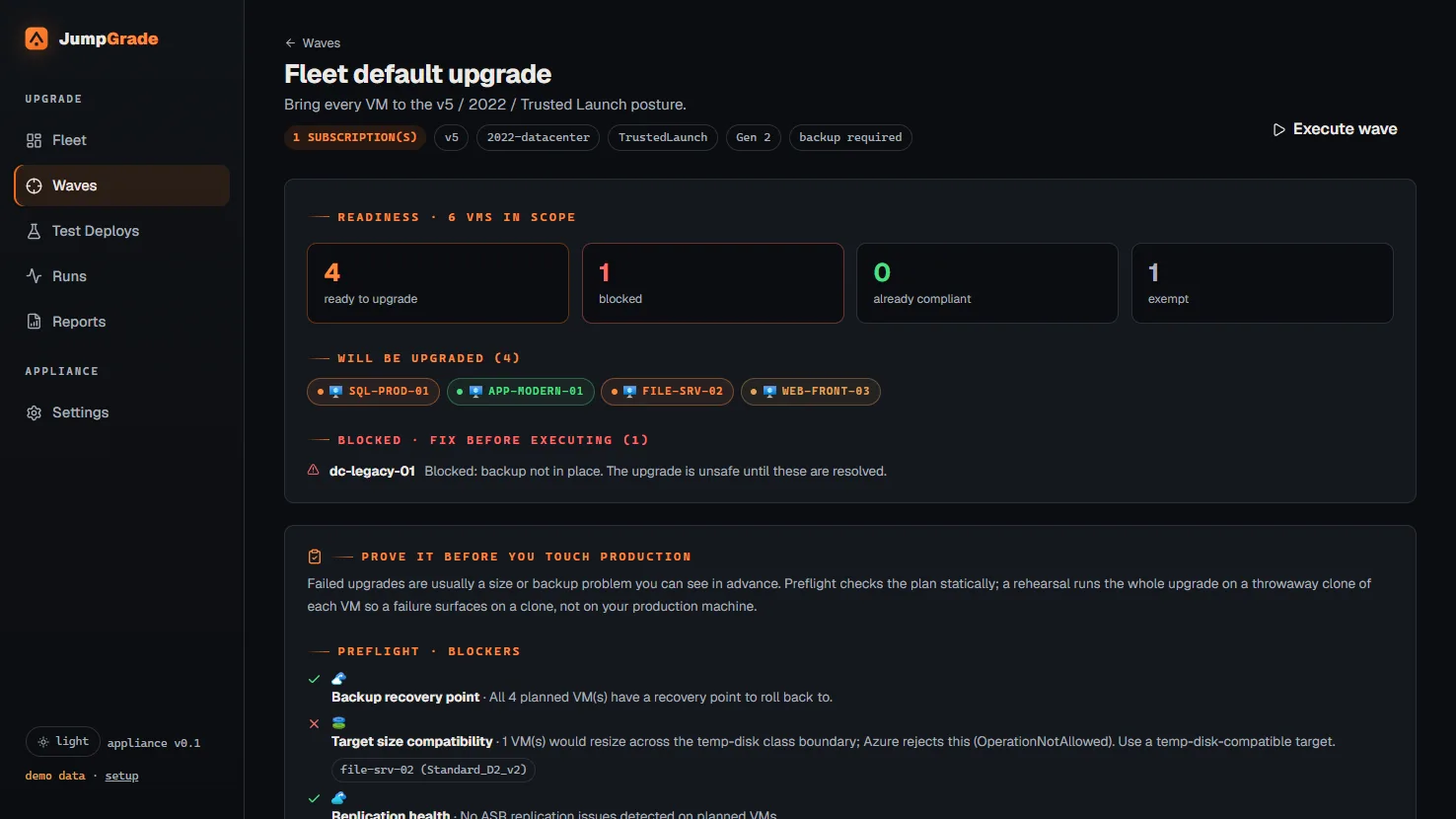
The upgrade that goes wrong is the one you run for the first time on a live machine. So JumpGrade runs it twice: first where a broken VM is the point, and only then in production.
- Preflight reads the plan before anything runs: backup recovery points, size compatibility, replication health, the OS upgrade window, and a rollback snapshot ahead of every destructive step.
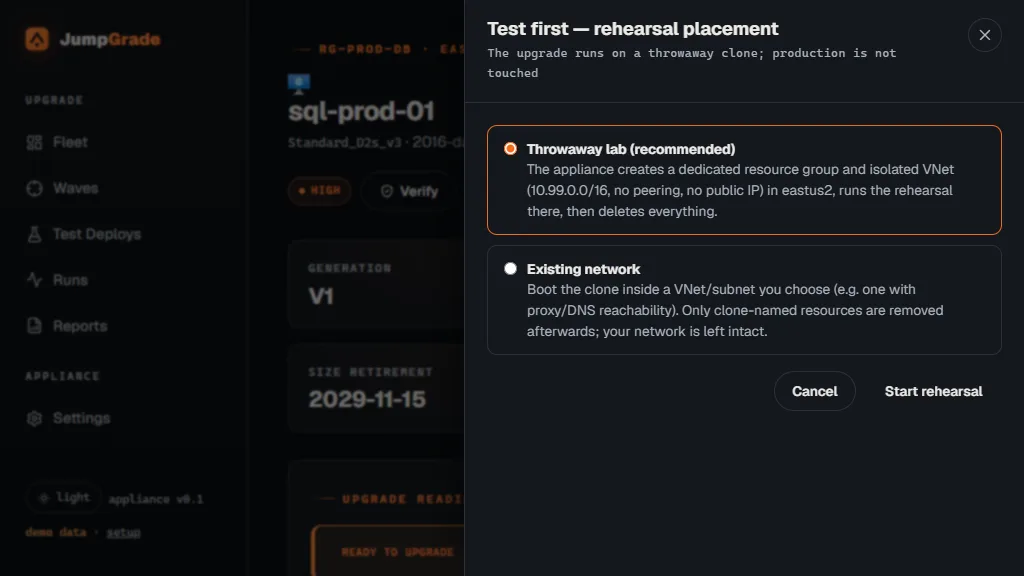
- A test run executes the full upgrade on a clone of each VM, end to end, and fails exactly where production would, so a bad resize surfaces as a red row, not a 2 a.m. page.
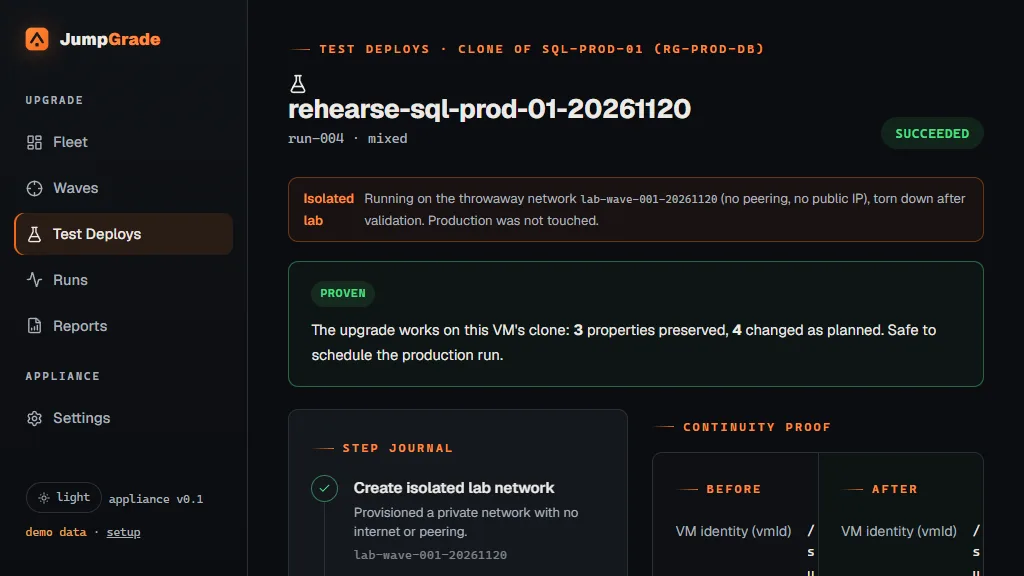
- The isolated lab goes further: a throwaway virtual network with no peering and no public IP, the cloned VMs attached to it, validated, then deleted. It catches the failures only a booted machine on its own network can show.
- Every test run leaves the same receipt as a real run, so "proven on a clone" is evidence you can hand to the change board, not a feeling.
Want to run this by hand first? Our in-place upgrade guide covers the exact procedure, supported paths, and rollback.
Convinced? Get early access.
Bring the loop to your own fleet. We are onboarding a small group first.